Basics for TradingView: every element explained
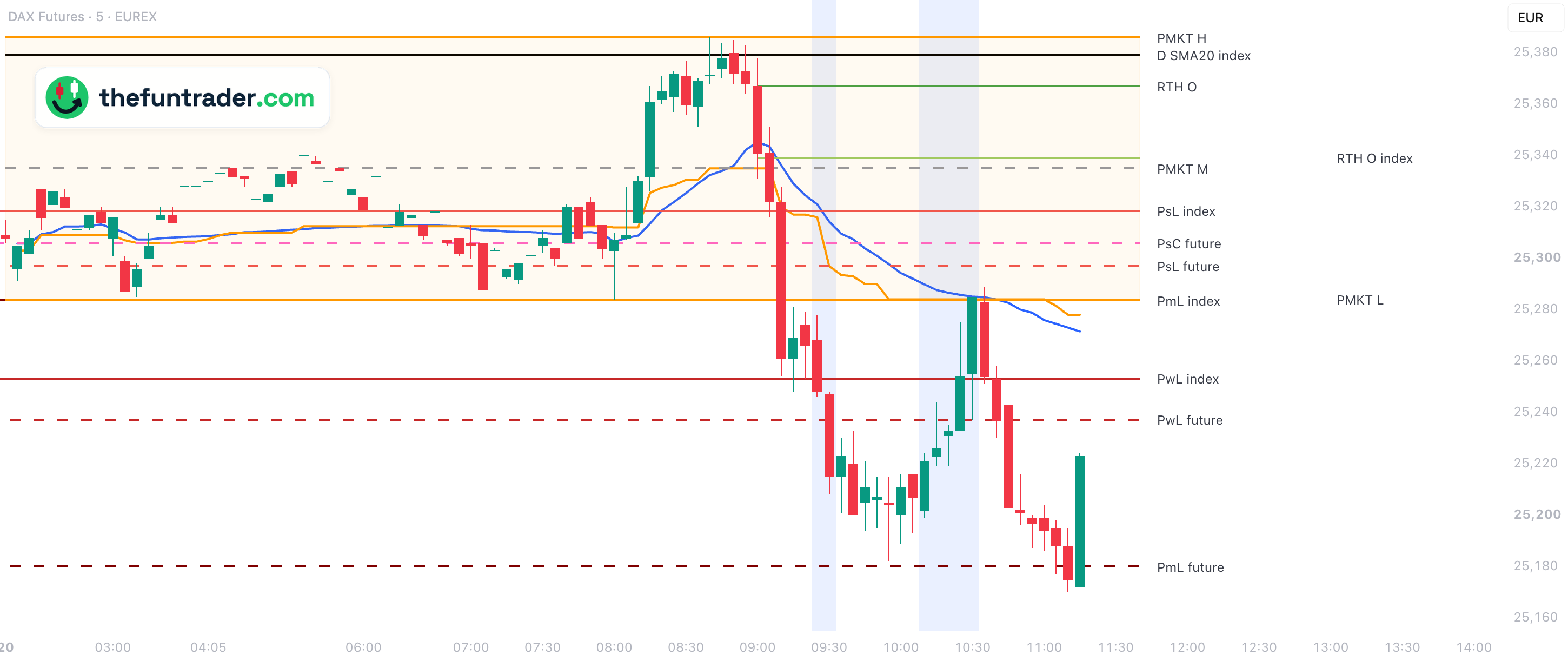
See every line explained in the list below ↓Basics draws the reference levels day traders watch every day — previous close, RTH open, pre-market range, week and month levels, VWAP, daily ATR and moving averages — whether you trade a future (main, mini, micro or nano), a CFD or the index itself. It sets itself up for your ticker: the Nasdaq, S&P 500, Dow and Russell (NQ, ES, YM, RTY and their micro and nano contracts), plus the DAX, FTSE 100 and AEX — on index, futures and CFD charts. Index levels are converted to futures prices, and futures levels to CFD prices, with the current cash-future difference, so every line sits at the correct place on the chart you trade.
Index or future
Many levels come in two versions. Index levels come from the cash index (Nasdaq-100, S&P 500). Future levels come from the main future of that index (NQ, ES).
index futureConverted to your chart
Index levels and future levels both appear on every chart type: index, futures (main, mini, micro, nano) and CFD. The index and its future never trade at the same price, so Basics converts every level to the price of the chart you are looking at, using the current cash-future difference — so an ES level is tradable on MES or a US500 CFD, and an S&P 500 level on ES.
Colour tells the type
Closes pink · opens green · highs and lows red · session range orange · week range purple. Lighter = session, darker = week and month.
All elements at a glance
Click a column heading to sort. Type under a heading to filter (text matches anywhere; >1 / <3 compare numbers; filters combine). Click a row to highlight it.Search all columns or pick one, and sort with the menu. Tap a card to highlight it; tap ? for an explanation. Every colour, width, style and label can be changed in the indicator settings.
Good to know
| Charts and timeframes | Index, futures (main, mini, micro, nano) and CFD charts of the supported markets. The lines are drawn on charts from 1 minute up to the daily chart, some also on the weekly chart. Seconds charts work too, but they load only a short history — days on a 30-second chart, hours on a 1-second chart — so a level that needs more, for example the start of the week, is hidden there and a small notice says so. |
|---|---|
| Only levels near the price | A line is only shown while its level lies within 5 % of the current price, so levels far away don't squeeze the chart. Change it under General → Level visibility range. |
| One line per price | When two levels have the same price, Basics draws one line with both names — for example PsC/PwC index on the first trading day of a week. |
| After a quarterly roll | Some week, month and moving-average lines of the future also have a b-adj version from the back-adjusted contract series. They are off by default; the week and month ones only appear while they differ from the normal line. See back-adjusted levels. |
| Data | No paid data subscription needed. Without a real-time futures subscription, the lines that follow the main future live — such as VWAP and the pre-market range — update with TradingView's 10–15 minute delay. |
| Chart timezone | Any timezone works. With the chart in the market's home timezone — New York, Berlin, London or Amsterdam — the lines and session backgrounds appear at the clock times you know. See trading sessions. |
Put these levels on your own chart
Basics is free on TradingView. Add it to any supported chart — for example MNQ or a GER40 CFD — and it configures itself — no settings needed to get started.