Straydog Zones & Levels: every element explained
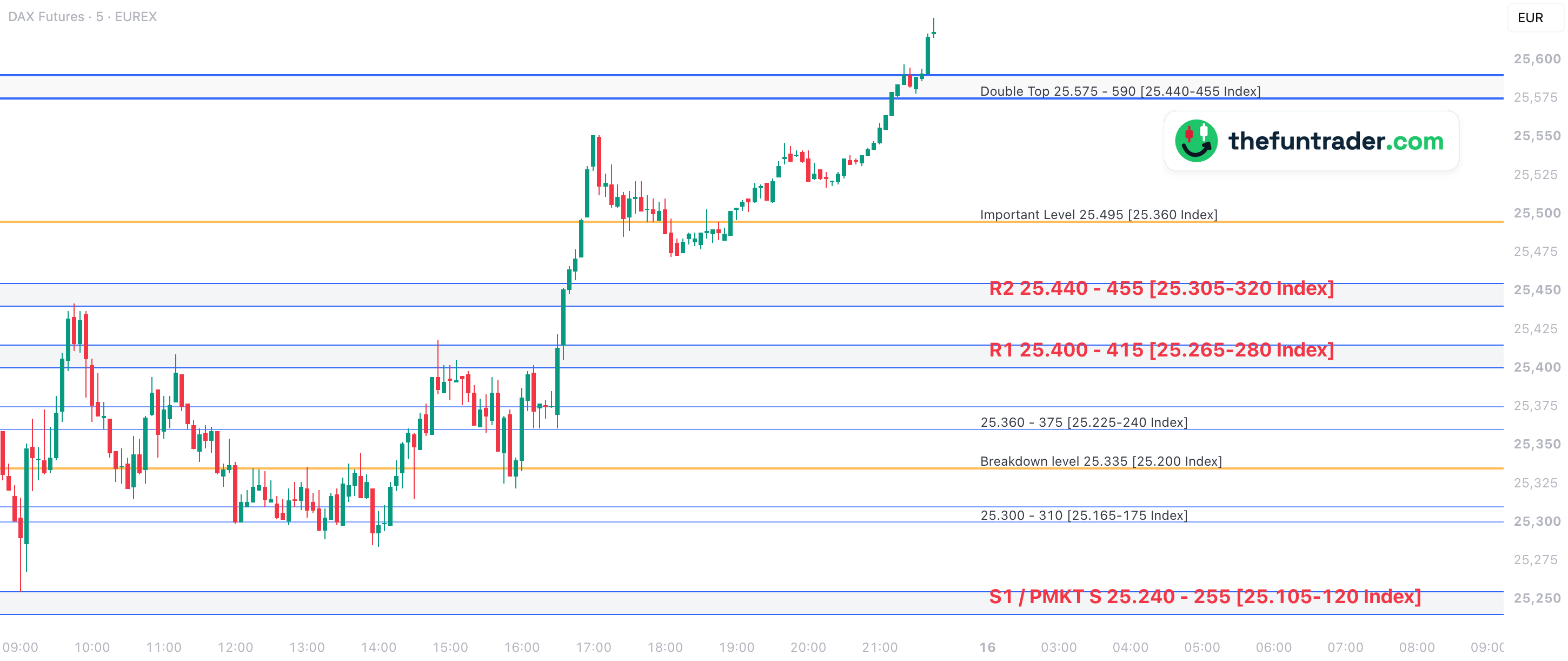
See every element explained in the list below ↓Straydog Zones & Levels draws the daily DAX support and resistance zones and levels from Straydogtrading.com on your TradingView chart — the DAX index, a DAX CFD or a DAX future. It does not calculate levels itself: you paste the day's levels block from your Straydogtrading.com subscription, and every zone and line is drawn at once.
The method behind the levels: Straydog
The levels come from Straydog, the DAX trader behind Straydogtrading.com. His approach is refreshingly simple: don't make it complicated, wait for a clear rejection or confirmation at support and resistance, trade the levels that react every day — the usual setups, early in the session, executed the same way again and again.
Straydog is one of the traders I learned the most from, and this indicator exists so his daily levels are on the chart without drawing them by hand. To learn the method itself, go to the source: Straydogtrading.com · @StrayDogTrading on X.
You paste, it draws
Each trading day Straydogtrading.com sends a levels file. Paste the block into the indicator settings and the whole picture is redrawn — exactly as in the source.
Index, CFD and futures
The levels are quoted on the DAX index. On an index or CFD chart they are drawn as they are; on a DAX future (FDAX, FDXM, FDXS) or the DE40FU CFD every level is shifted to the futures price.
DAX only, your choice of elements
The indicator draws on DAX instruments only. Every element group has its own on/off switch, colours and label settings, so you show only what you trade.
All elements at a glance
Click a column heading to sort. Type under a heading to filter (text matches anywhere; >1 / <3 compare numbers; filters combine). Click a row to highlight it.Search all columns or pick one, and sort with the menu. Tap a card to highlight it; tap ? for an explanation. Every colour, style and label can be changed in the indicator settings.
Good to know
| Every trading day | Paste the day's levels block from your Straydogtrading.com subscription into the indicator settings and every zone and line is redrawn. Until you paste a new block, the chart keeps showing the levels of the old one. |
|---|---|
| Index prices | The levels are DAX index prices. On the DAX index and index CFDs they are drawn as they are; on a DAX future (FDAX, FDXM, FDXS) or a future CFD every level is shifted with the offset from the levels block. Fine-tune it with Future offset adjustment, or set Method to Automatic offset to let the indicator measure the difference itself (Cash-future offset group). |
| DAX only | The levels are DAX levels, so the indicator draws only on the supported DAX tickers; on any other chart it stays empty. |
| Alert | One TradingView alert covers all main zones: it fires once per zone per day when price comes within a set distance of a zone edge (default 25 points). |
| Also in Basics and Untested Levels | The previous close, the futures settlement price and the 20, 50 and 200-day averages are also in Basics; the untested closes and the index gaps in Untested Levels. Those two indicators calculate them themselves, on more markets. With both on one chart, switch the group off in one of them, so the same price is not drawn twice. |
Supported tickers
The levels are DAX levels, so the indicator draws only on a DAX instrument; on any other ticker it stays empty. This list is for Straydog Zones & Levels only — Basics and Untested Levels support many more markets. On a future or a future CFD every level is shifted from the index price to the futures price with the offset from your levels block (fine-tune it with Future offset adjustment, or let the indicator measure the difference itself with Automatic offset); on the index and index CFDs the levels are drawn as they are. Futures work as continuous contract (FDAX1!, FDAX2!) and as a single contract (for example FDAXZ2026). (+SB*) = also available as a spread bet (for example TRADENATIONSB:DE40), treated the same way.
Put the Straydog levels on your DAX chart
Install the indicator, paste today's levels block and every zone and line appears — on the index, a CFD or the future. You need a Straydogtrading.com subscription for the daily levels.