PMKT H / PMKT L: the pre-market high and low
PMKT H and PMKT L stand for pre-market high and pre-market low: the highest and lowest price of the main future — for example ES or FDAX — between the start of its trading day and the moment the stock market opens. That range is built overnight, while the stock market is closed. It is the range the futures market agreed on before the big volume arrives, and once regular trading hours start, price often turns at its edges or breaks out of it. Basics draws both lines plus a shaded zone between them. On mini, micro and nano futures it uses the main future's range, not the smaller contract's own, which can differ through a spike in the thinner market; on CFDs it uses the main future's range, placed at the CFD's price; on charts of the official index it converts the future's range to the index price. This page explains what the lines show, when the pre-market runs and how to adjust them.
On this page
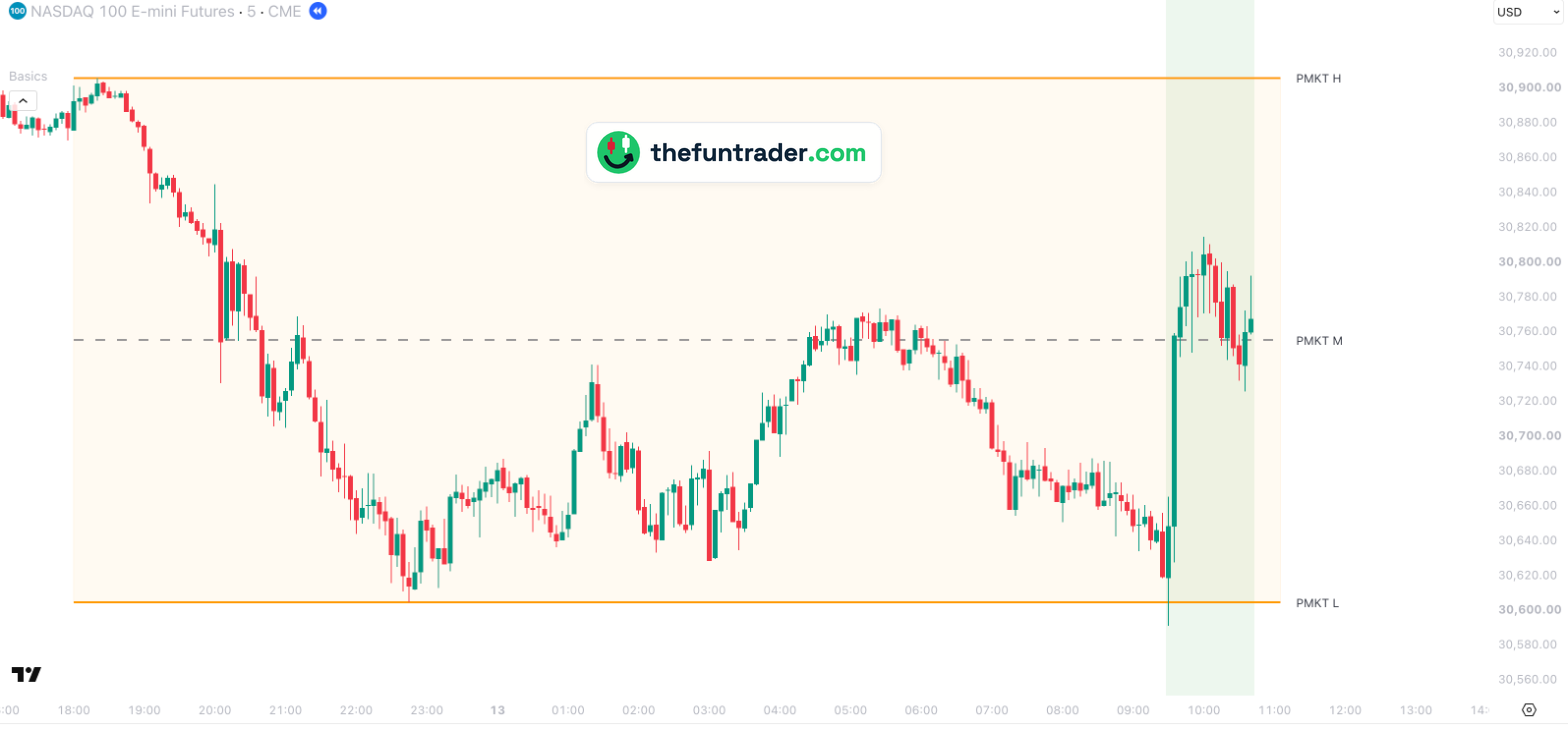 18:00 · pre-market starts09:30 · stock market opens
1234
18:00 · pre-market starts09:30 · stock market opens
1234

- 1Monday 18:00 — NQ's new trading day starts, and so does the pre-market. The first high, 30,906 at 18:20, will hold all night.
- 222:45 — NQ sets the pre-market low: 30,604.75. The range is now about 300 points wide; the middle (PMKT M) is at 30,755.
- 3Tuesday 09:30 — the stock market opens. The very first candle of regular trading hours drops to 30,591.25, 13 points under the pre-market low, and closes back inside the range at 30,648.50.
- 409:30–10:00 — buyers take over: NQ climbs to 30,814.75, more than 200 points above the pre-market low, and holds around the middle of the range afterwards.
Part of Basics
Free TradingView indicator with all session, week and month levels for index, futures and CFD charts.
Install Basics (free) →When the pre-market runs
Index futures trade almost around the clock, but the stock market behind the index only opens in the morning. The pre-market is everything the future trades before that moment:
| Nasdaq-100, S&P 500, Dow, Russell 2000 (NQ, ES, YM, RTY) | 18:00 New York time the evening before until 09:30 |
|---|---|
| DAX (FDAX) | 02:15 Berlin time (01:15 in winter) until 09:00 |
| FTSE 100 | 22:00 London time the evening before until 08:00 |
| AEX | 08:00 until 09:00 Amsterdam time |
The pre-market high and low are the extremes of that period. During the pre-market they still move with every new high or low; from the stock market open they are fixed for the rest of the day.
Set before the open, watched after it
The pre-market range is built with relatively little volume: the stock market is closed and many participants are not trading yet. When regular trading hours start, the volume arrives — and that is when the range edges matter. Day traders watch two things:
- A test and a turn. Price comes to the pre-market high or low and reacts — like NQ on 13 October, which dipped just under the low at the open and then climbed 200 points.
- A breakout. Price moves through an edge and keeps going; the old edge can then act as support or resistance from the other side.
Basics can shade the regular trading hours (the green background in the charts on this page), so you see at a glance where the pre-market ends and the session that counts begins. Switch it on under Backgrounds → PMKT, RTH and AH session.
The middle of the range
Basics also draws the middle of the pre-market range, PMKT M (grey, dashed): the average of the high and the low. Especially when the range is wide, price often returns to it or reacts to it during the day — explained with examples on the PMKT M page.
How Basics shows them
The pre-market range appears on every supported chart — futures (main, mini, micro, nano), CFDs and the index itself — each time at the right price for that chart.
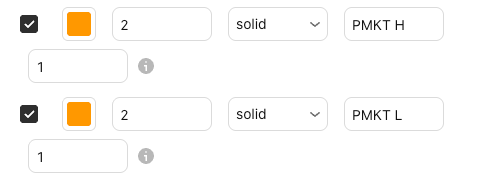
| Default look | Orange, solid, width 2 — plus PMKT M (grey, dashed) and a light orange zone between high and low |
|---|---|
| Labels on the chart | PMKT H, PMKT M and PMKT L (renamable) |
| Switched on by default | Yes — lines and zone |
| Where the lines start | At the start of the pre-market (18:00 New York, 02:15 Berlin, 22:00 London, 08:00 Amsterdam); on an index chart at the first candle of regular trading hours |
| Timeframes | Lines: charts from 1 minute up to the daily chart. Zone: intraday charts from 1 minute; on seconds charts too, unless the level needs more history than the chart loads. |
| Markets | Nasdaq-100, S&P 500, Dow, Russell 2000, DAX, FTSE 100 and AEX — all tickers and pre-market times |
| Price on your chart | Main future: its own range. Mini, micro and nano: the main future's range. CFD: the main future's range, placed at the CFD's price. Index chart: the main future's range, converted to the index price |
| Lookback | 1 — today's pre-market only (up to 20 sessions, set in the indicator settings) |
Free data is fine. Without a real-time futures subscription, the range moves 10–15 minutes behind while the pre-market is still running. Once the stock market opens the range is complete and exact.
The same range on other markets
Click a chart to enlarge it.


Why don't I see the lines?
- You are on an index chart before the open.An index is not calculated in the pre-market, so on an index chart the range appears from the first candle of regular trading hours.
- You are on a weekly or monthly chart, or a seconds chart.The lines are drawn on charts from 1 minute up to the daily chart; the zone on intraday charts from 1 minute. On a seconds chart, a level that needs more history than the chart loads is hidden.
- Price is far away from them.Lines are hidden while the level is more than 5 % from the current price. You can change this under General → Level visibility range.
- They are switched off.Check the PMKT H, PMKT M and PMKT L boxes and the master switch Show all objects in 'Session levels' group; the zone is under Backgrounds → PMKT zone.
- Your ticker is not recognised.See the supported tickers — and if yours is missing, let me know: requests are very welcome.
What you can change
Everything can be adjusted in the indicator settings (the gear icon next to Basics on your chart): the lines under Session levels, the zone and the session backgrounds under Backgrounds.
| Show / hide | PMKT H, PMKT M and PMKT L separately · Session levels |
|---|---|
| Colour, width, style | Any colour · width 1–5 · solid, dashed or dotted, per line |
| Label text | Default PMKT H, PMKT M, PMKT L |
| Lookback | 1–20 sessions (default 1: today only) |
| PMKT zone | On/off, colour and transparency · Backgrounds |
| Session backgrounds | Shade the pre-market, regular trading hours (RTH) or after-hours · Backgrounds |
Charts and defaults on this page: Basics v11.72.8 · updated 21 October 2026.
Frequently asked questions
What is the pre-market high and low?
The highest and lowest price of the future between the start of its trading day and the stock market open: for US index futures from 18:00 New York time the evening before until 09:30, for the DAX future from 02:15 Berlin time (01:15 in winter) until 09:00.
Why do traders watch the pre-market range?
It is the range the futures market agreed on before the stock market opened. Once regular trading hours start and the volume picks up, price often turns at its edges or breaks out of the range. See set before the open, watched after it.
Does the pre-market range work on MNQ, MES or a CFD?
Yes. On micro futures Basics uses the main future's range rather than the micro's own, which can differ through a spike; on a CFD the main future's range, placed at the CFD's price, so a single CFD spike does not distort it.
Can I see the pre-market range on an index chart?
Yes. An index is not calculated before the open, so Basics converts the main future's pre-market range to the index price and draws it from the first candle of regular trading hours.
Related levels
See the pre-market range on your own chart
Basics is free on TradingView. Add it to any supported chart — for example MNQ or a NAS100 CFD — and the pre-market high, low and zone appear without any setup.